
Affiliate disclosure: This post contains affiliate links, including Amazon affiliate links. If you make a purchase through one of these links, I may earn a commission at no additional cost to you. As an Amazon Associate, I earn from qualifying purchases.
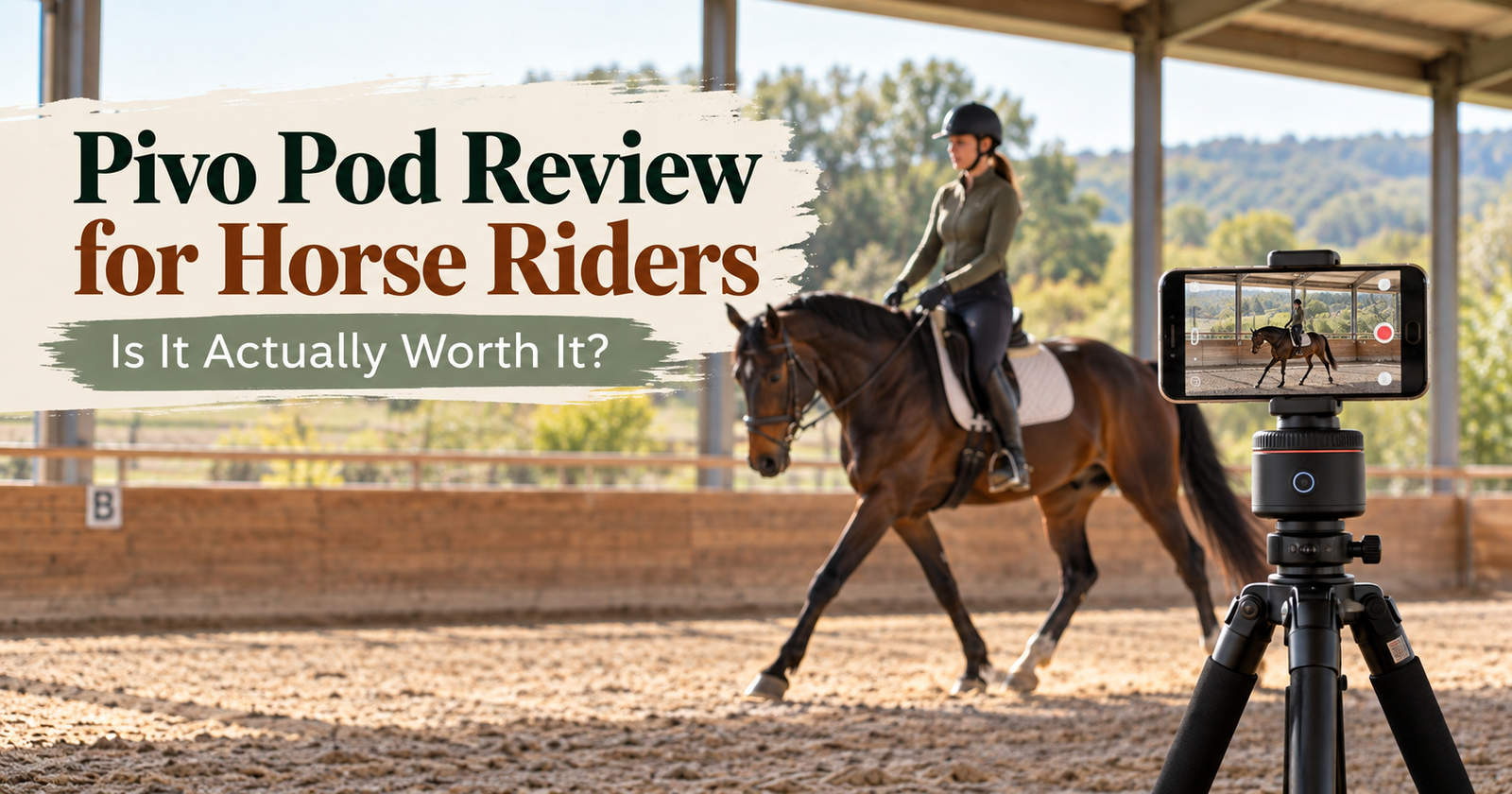
If you are thinking about buying a Pivo Pod to record your rides, there are a few things you should know before you spend the money. Does it actually follow a horse? Can it work in a large arena? Will your phone fit in the holder? Do you need a tripod or microphone? And is it genuinely useful—or is it just an expensive rotating phone holder?
I have been using the Pivo with my iPhone to record my own horse training, including videos I submit for professional feedback. My short answer is: yes, I absolutely love mine. It has worked extremely well for the way I use it, especially when I am riding or training alone.
That said, there are a few practical things I wish every horse rider knew before buying one. Below, I’ll show you how I use mine, what equipment I pair with it, what can cause a recording to fail, and who I think will get the most value from it.
Watch My Pivo Pod Review
If you would rather see the Pivo in action, here is my full YouTube review showing how I use it for horse training and recording my rides:
Quick links to my setup:
- Pivo Pod
- Tripod
- Pivo Smart Mount I use
- Pivo package with phone holder, Pivo and remote
- 2027 Horse Help Challenge
What Is the Pivo Pod?
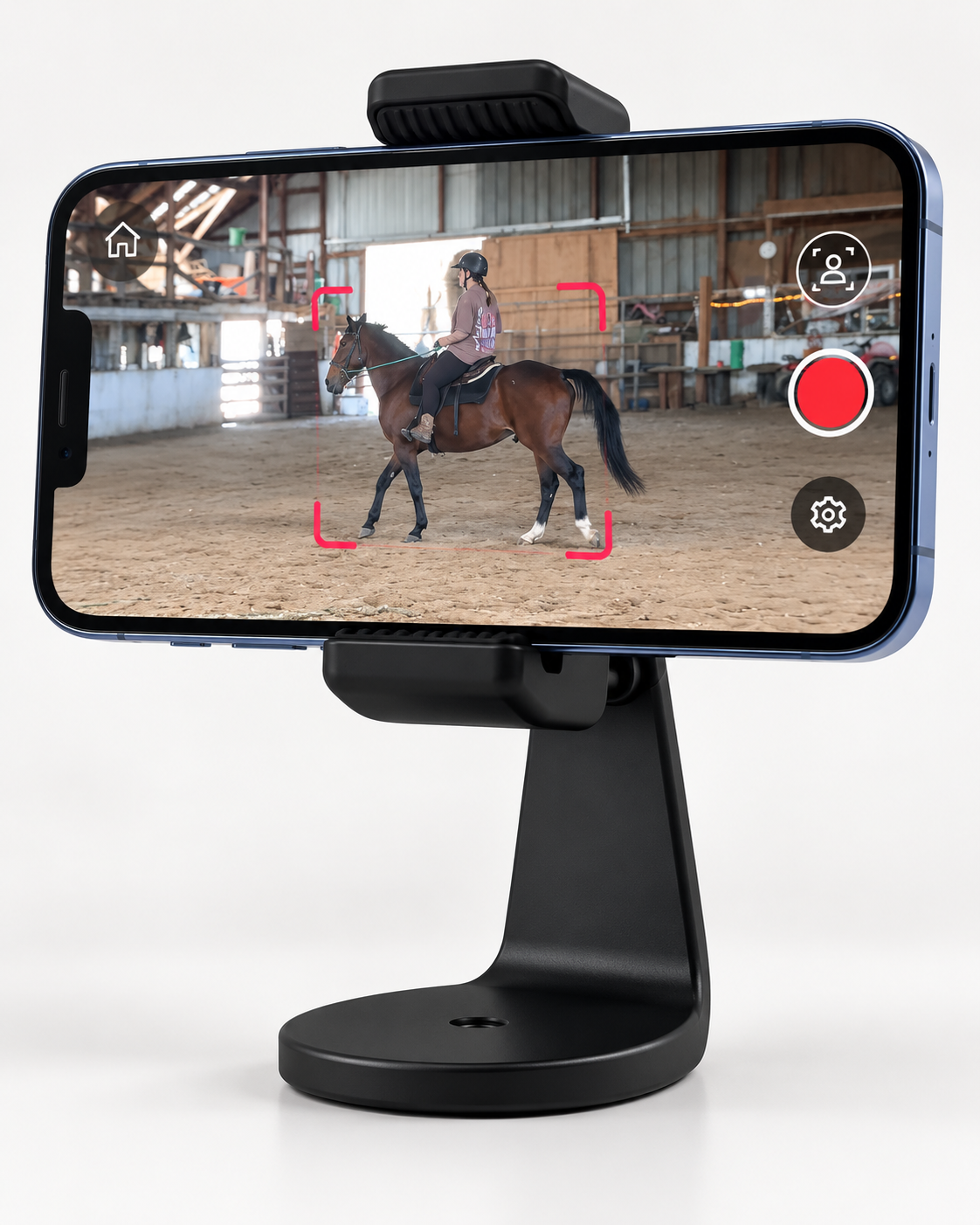
The Pivo Pod is a small motorized phone holder that connects to an app on your smartphone. You place your phone in the holder, choose the tracking mode you want, and the base rotates to keep the subject in frame.
For horse riders, that means you can select horse tracking and let the Pivo follow your horse around the arena while your phone records the video.
The important thing to understand is that the Pivo is not the camera. Your phone is still doing the actual recording. The Pivo’s job is to keep the phone pointed at you and your horse.
That also means your final video quality depends heavily on the phone you are using. A newer iPhone with a strong camera is going to give you better footage than an older phone with a poor camera. The Pivo can keep you in frame, but it cannot magically improve your phone’s image quality.
Does Pivo Horse Tracking Actually Work?
In my experience, yes—it works really, really well.
I use mine in a very large arena. Before I had the Pivo, I could only record myself in a small section because my phone was stationary. If I moved out of the frame, whatever happened next simply was not recorded.
With the Pivo, the camera turns and follows us. I can choose whether it follows the person or the horse, and because I am using it for horse training, I choose the horse.
That allows me to work much more naturally. I can use the full arena instead of changing my training pattern just so I stay in front of a stationary camera.
The Pivo also adjusts the framing as we move farther away, which makes a huge difference in a large riding space.
Is it going to be perfect in every possible environment? No. Lighting, distance, obstructions, other horses, your phone, and where you place the Pivo can all affect the tracking. If another horse enters the arena, for example, the tracking may not always know which horse you want it to stay with.
But in my arena, with my horse and my iPhone, it has performed extremely well.
Why I Record My Rides
You might be looking at a Pivo because you make horse content, but recording your rides can be useful even if you never post a single video online.
I am currently participating in Michael Gascon’s Horse Help Challenge. Each week, I submit videos of myself working with my horse and receive feedback from an experienced trainer.
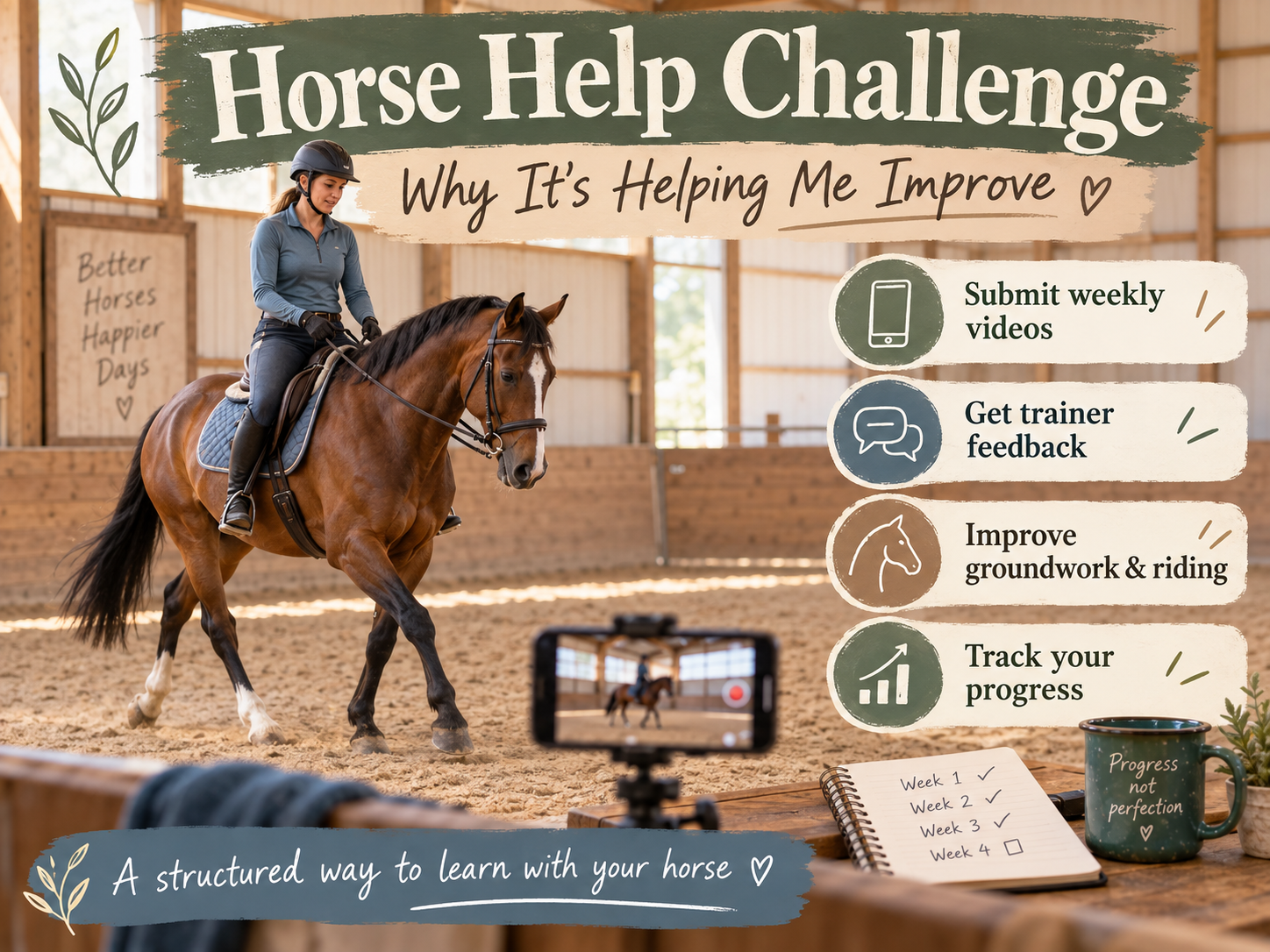
If you want to know more about the program, you can read my post on what the Horse Help Challenge is and why I’m doing it, as well as my review of the 30-Day Horse Help Challenge.
If you are interested in joining, here is my affiliate link for the 2027 Horse Help Challenge.
Being able to submit clear footage is incredibly valuable because a trainer can see things I may not feel or recognize while I am working. My timing may be late. My body position may be affecting my horse. I may be holding pressure too long or releasing at the wrong moment.
Sometimes your horse is responding correctly and you do not even realize it until somebody points it out.
I am still very green as a horse owner, so that feedback matters to me. Video gives a trainer something concrete to evaluate, and it also gives me a way to review my own work later.
Using Pivo While Retraining My Standardbred
I am currently working with Tappy, my 17-year-old Standardbred. He previously worked as an Amish horse and had a successful harness-racing career before that, with approximately $300,000 in winnings.
Now I am asking him to learn a very different job later in life: becoming a safe, enjoyable riding horse.
That is where the Pivo has become especially useful. It does not simply help me create videos. It captures the footage I need to get informed feedback so I can make better training decisions.
I am training a horse, but I am not a professional horse trainer. The more useful feedback I can get from people I trust, the better I can become and the better I can help my horse.
Can You Use a Pivo in a Large Arena?
Yes, but placement matters.
My arena is very large, and the Pivo lets me use the entire space. However, every arena is different, so you need to give the camera a clear, unobstructed view and think about how close you will ride to it.
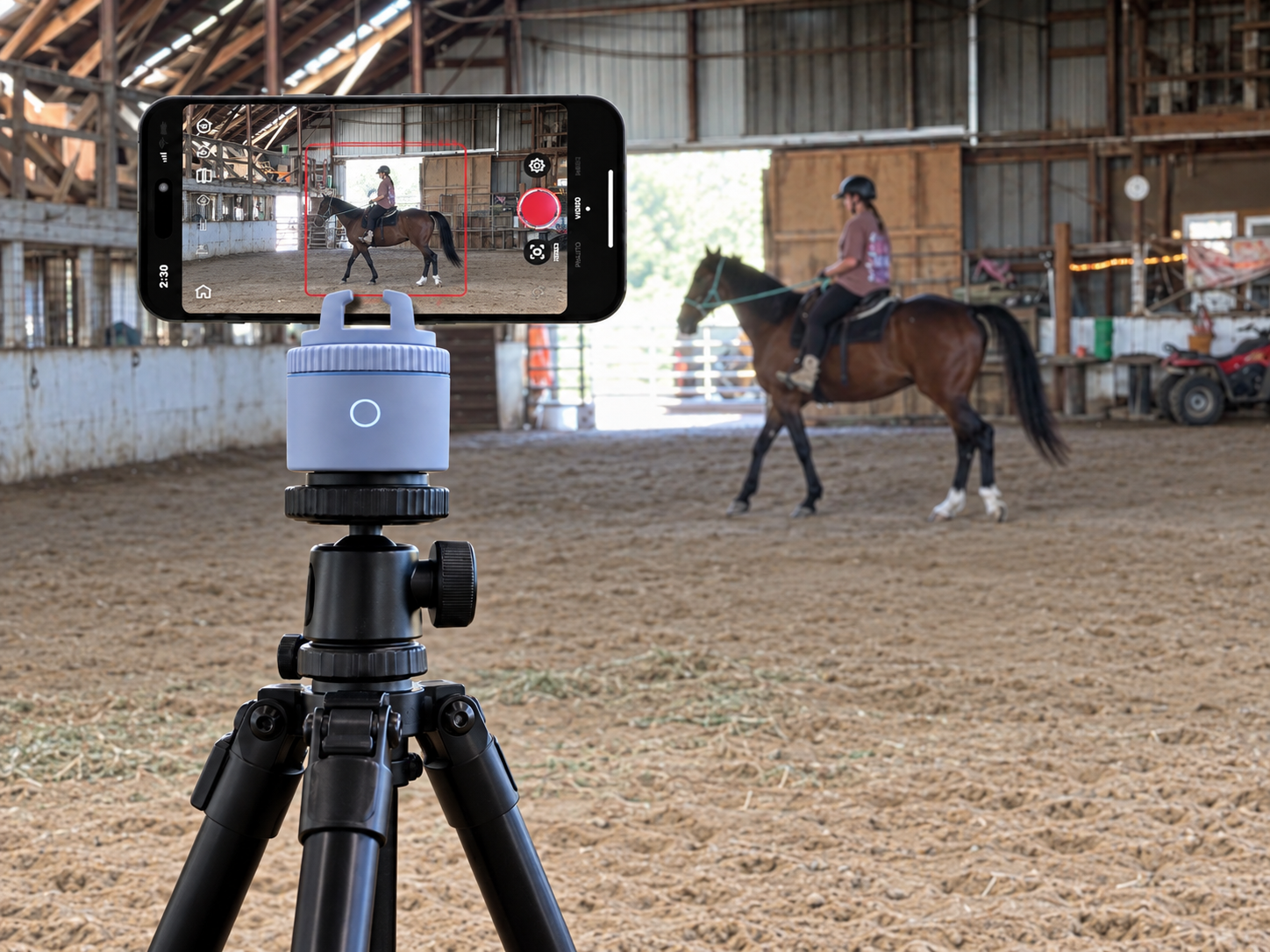
If you place it closer to the center of the arena, you can get closer footage. But if you ride too close to the camera, your horse may move across the frame too quickly and you may actually make it harder to capture the full picture.
When I first got on Tappy, I did not know exactly how he would behave, so I also did not want my expensive camera setup sitting somewhere I might accidentally run over it!
A wider position gives the Pivo more time to follow you as you move. If you are farther away, the app can adjust the framing so you remain visible.
Test Your Placement Before Recording a Full Ride
Before you record an entire lesson or training session, take a minute to test your setup.
- Walk or ride one full lap in each direction.
- Move close to the Pivo.
- Travel to the farthest point in the arena.
- Change directions.
- Watch the test clip back before you start the real session.
That quick check can save you from recording 30 or 60 minutes only to discover afterward that your setup was not working the way you expected.
And yes—make sure you actually press record. I have made that mistake too.
My Pivo Setup for Horse Riding
My setup has three main pieces, plus one optional upgrade depending on the phone case I am using.
1. The Pivo Pod
This is the tracking base itself. You can see the Pivo Pod I recommend here.
2. My Phone
I use my iPhone as the camera. Again, the phone is what determines the actual image quality. The Pivo handles the tracking and rotation.
3. A Tripod
You do not technically need a tripod, but I strongly recommend one for riding. A tripod lets you position the phone at a useful height and move the entire setup around the arena.
You generally do not want the Pivo sitting directly on the arena floor where the view can be blocked or where it is more vulnerable to being stepped on or kicked.
This is the tripod I use with my setup.
4. An Optional Replacement Phone Holder
This was an important one for me because my old phone case was thick. It had a front and back section that clipped together, and my phone did not fit comfortably in the original holder.
I replaced that holder with the Pivo Smart Mount I use. I like it because it works better with larger phone setups and also gives me an attachment point I can use with other accessories.
My current phone case is thinner and fits the standard holder just fine. But if you have an OtterBox or another bulky case, you may want to consider a different mount before assuming your phone will fit perfectly.
If you are buying everything at once, also check the bundle carefully. This Pivo package includes the phone holder, Pivo and remote. Different listings include different accessories, so do not assume every Pivo listing comes with the same setup.
Do You Need a Microphone With Pivo?
No—not if your main goal is to review your riding or submit training footage to a coach.
If the visual footage is what matters, your phone’s built-in microphone may be enough.
However, if you want viewers to clearly hear you explaining what you are doing while you are on the opposite side of a very large arena, you will probably want a separate wireless microphone.
I bought one from Amazon and hated it, so I am not recommending a microphone right now. I would rather wait until I find one I actually like than link something just because I bought it.
The lack of a separate microphone has not stopped me from using or loving the Pivo. It simply means the audio is not as clear from far across the arena as it would be if I were wearing a mic.
How to Avoid Failed Pivo Recordings
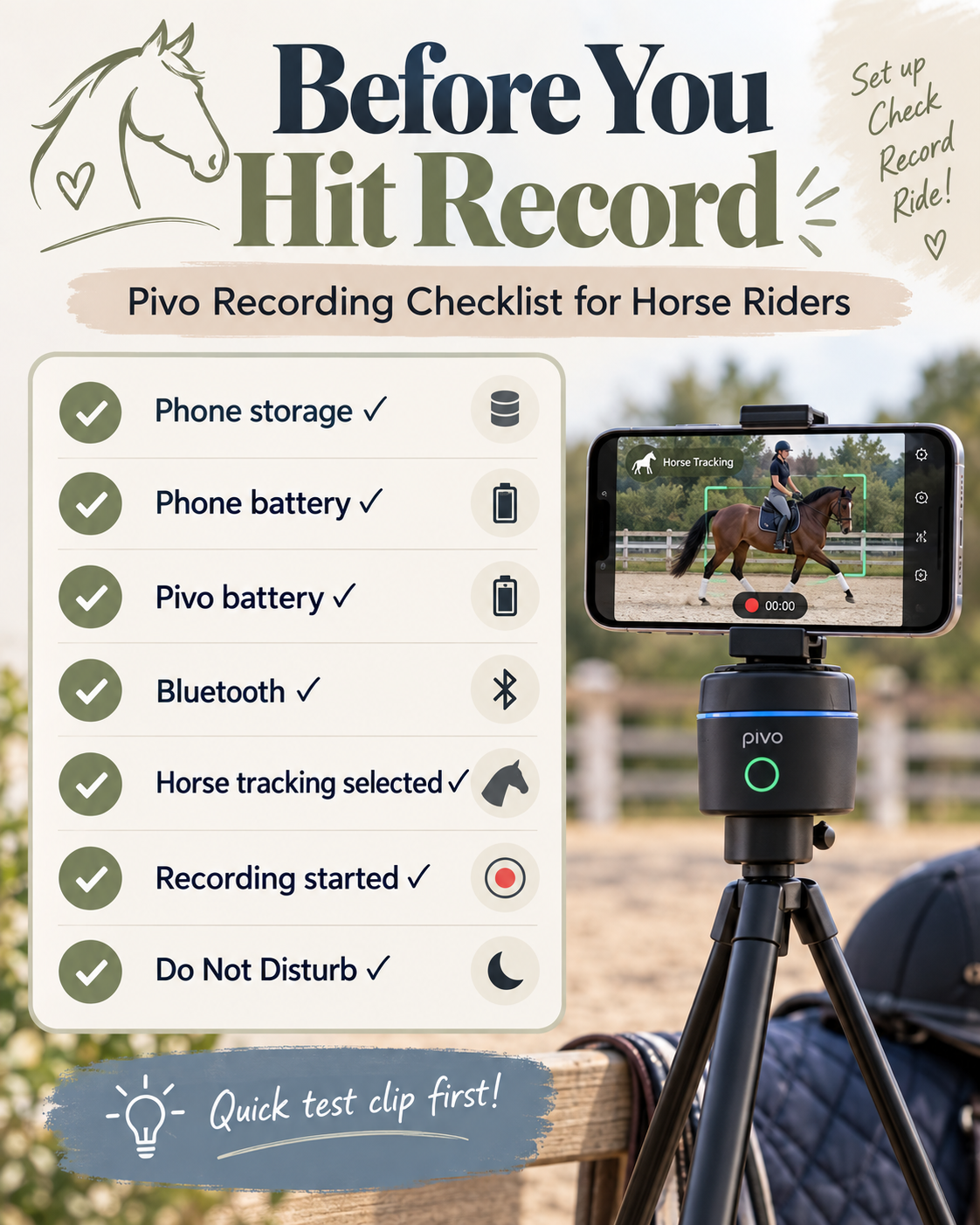
This is one of the most important sections in this review because the Pivo can keep rotating even if your iPhone has stopped recording. If you are riding, you may not notice that anything went wrong until the session is over.
Before every session, I recommend checking:
- Your iPhone’s available storage
- Your phone battery
- The Pivo battery
- The Bluetooth connection
- Whether horse tracking is selected
- Whether the recording has actually started
Also put your phone on Do Not Disturb or airplane mode before recording. An incoming call can interrupt your recording, which is especially frustrating if you are trying to capture an important ride or training session.
Long riding sessions also create large video files. If your phone does not have enough free storage to record 30 minutes or an hour of video, the Pivo cannot fix that. Clear some room before you begin.
I also recommend recording a short test clip and watching it back before you start the full session.
What I Like Most About the Pivo
The biggest reason I like the Pivo is simple: it works.
- The horse tracking works well for me.
- I can use my full arena.
- I do not need another person to film me.
- I can use my phone’s better rear camera without worrying that I have moved out of frame.
- I can review my riding and horsemanship afterward.
- I can submit useful footage to a trainer and receive detailed feedback.
- I can document both my horse’s progress and my own progress over time.
- It is compact and easy to carry around.
If you have ever asked your kids to record a ride, you may already understand why the “does not need another person” part is such a big benefit.
What Are the Drawbacks?
I love my Pivo, but there are still some practical limitations.
Your phone still matters. The Pivo does not turn an older phone with a poor camera into a professional camera.
Phone cases can cause fit problems. A very thick case may require a replacement holder such as the Pivo Smart Mount I use.
You will probably want a tripod. You can technically place the Pivo on another surface, but a tripod is far more convenient in an arena.
You need enough phone storage. Long videos take up a lot of space.
Audio from far away may not be great. If spoken audio matters for your content, you may eventually want a wireless microphone.
Crowded arenas can make tracking less predictable. If multiple horses are close together, the system may not always follow the specific horse you intended.
Pivo vs. a Regular Tripod
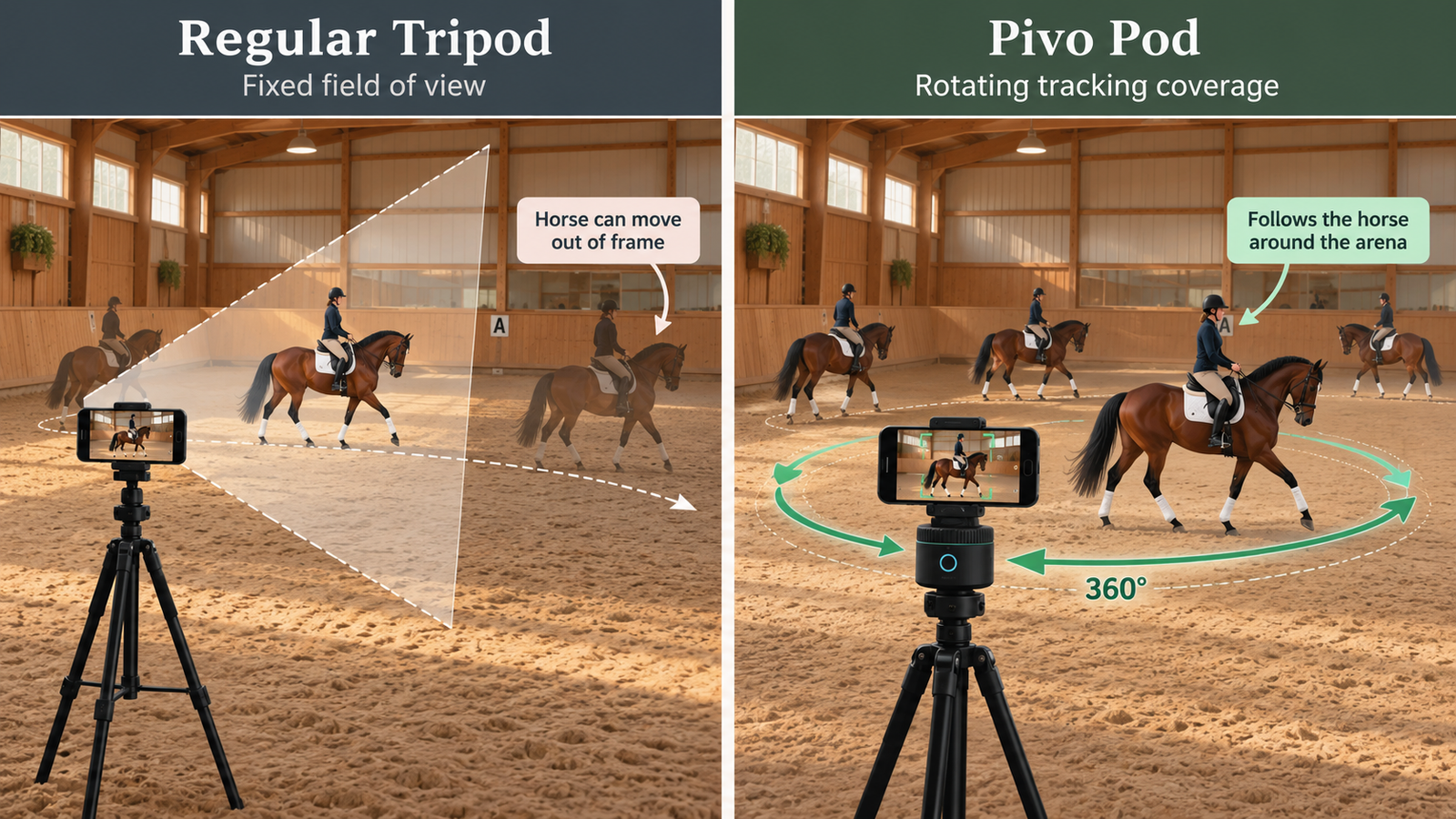
A regular tripod records whatever is directly in front of it. That can be perfectly fine if you are working in one small part of the arena.
But horses move.
If your phone is stationary and you ride out of frame, the camera does not care—it keeps recording the empty section you left behind.
The Pivo’s value is that it turns the phone as you move so you can use more of the arena without constantly thinking about staying inside one fixed shot.
For me, that makes a huge difference. I want to train the horse I have in front of me, not change my entire session because I am trying to stay in one tiny filming area.
Who Should Buy a Pivo Pod?
I think the Pivo is an especially good fit for:
- Riders who train alone
- Riders who want to review their position and timing
- People who submit videos to a coach or training program
- Riders documenting a horse’s progress
- Horse content creators who do not have a camera person
- Riders who want to use more of the arena without leaving the frame
It may not be worth buying if you almost never record your rides or if you always have somebody available to film you.
It also may not be ideal if you regularly ride in a crowded arena and need the tracking system to distinguish your horse from several other horses moving nearby.
Is the Pivo Pod Worth It for Horse Riders?
For me, absolutely.
It solves the exact problem I bought it to solve. It follows my horse, lets me use my full arena, and gives me footage that is genuinely helping me improve.
The most valuable part is not simply creating more content. It is being able to review my work and receive informed feedback from an experienced trainer.
As a green horse owner retraining a 17-year-old Standardbred, that matters a lot to me.
If you want to study your rides, submit training videos, document your horse’s progress, or film when nobody else is available, I think the Pivo can be an extremely useful tool.
If you are building your full setup, you can also see my tripod, the Pivo Smart Mount, or the Pivo bundle with the phone holder and remote.
Pivo for Horse Riders: Frequently Asked Questions
Does Pivo actually follow a horse?
Yes. I use horse tracking, and in my arena it has followed my horse extremely well. Results can still vary depending on lighting, distance, obstructions, other horses and your phone.
Can I use Pivo in a large arena?
Yes. I use mine in a large arena. Placement makes a big difference, so test your setup from the closest and farthest points before recording a full ride.
Does Pivo improve video quality?
No. Your phone is still the camera. The Pivo helps keep the horse in frame, but the image quality comes from your phone.
Do I need a tripod for Pivo?
Not technically, but I strongly recommend one for horse riding. It makes it much easier to position the Pivo at the right height and move it around the arena.
Will a thick phone case fit in the Pivo holder?
Maybe, but my thicker case did not fit well. If you have a bulky case, you may want a different phone holder. I use the Pivo Smart Mount.
Can an incoming phone call stop a Pivo recording?
Yes, an incoming call can interrupt the recording on your phone even if the Pivo itself continues rotating. I recommend using Do Not Disturb or airplane mode before an important session.
Do I need a microphone?
No, not for reviewing your riding or submitting visual training footage. If you want clear spoken audio while riding far from the camera, a wireless microphone is worth considering.
Can Pivo help with remote horse training?
It can be extremely useful when you need to record footage for a coach or trainer. That is one of my primary uses for it in the Horse Help Challenge.
More horse content from Only Goats Farm:
- What Is the Horse Help Challenge (and Why Am I Doing It)?
- My Honest Review of the 30-Day Horse Help Challenge
- What Comes in the Horse Help Challenge Kit?
- 25 Horse Toys & Enrichment Ideas to Keep Your Horse Busy
- Rescue Horse Red Flags: What I Missed When Choosing My First Horse
- I Spent a Year Trying to Make the Wrong Horse Work


Post your Comment About This Product